Automation · Practical guide
AI for Accountants in Australia: 10 Practical Uses (and What to Automate First)
How Australian accountants and bookkeepers use AI tools in 2026: bookkeeping, document extraction, client chat and calls, plus the TPB and privacy rules you need to follow.
Zlink AI Team7 min read
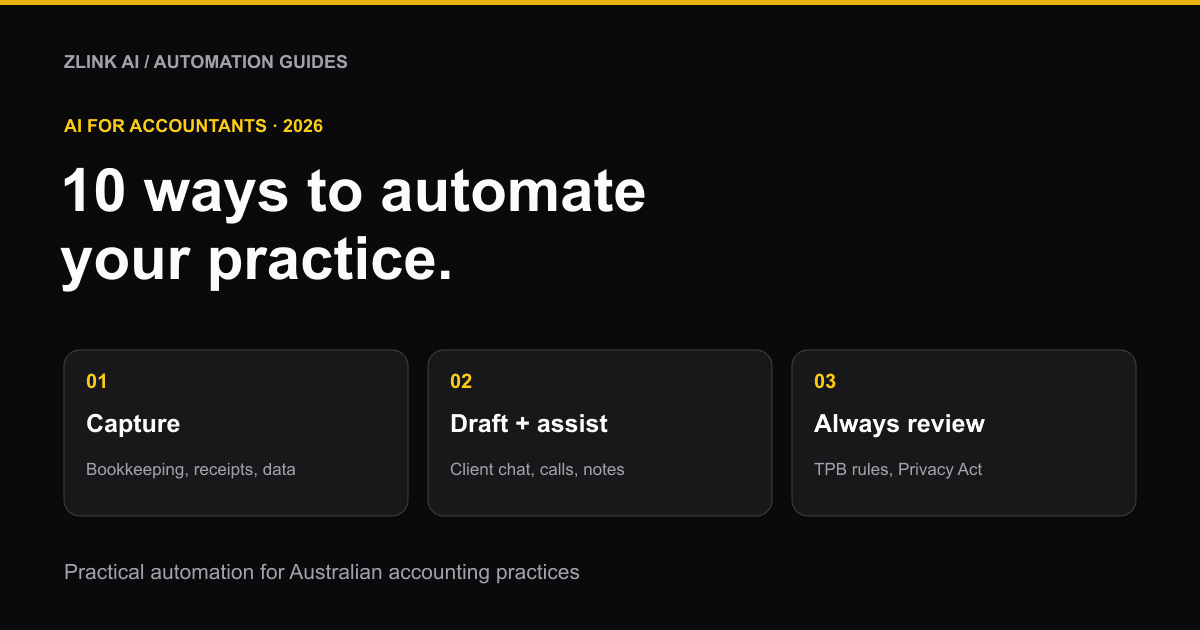
AI for accountants means using software to handle the repetitive parts of bookkeeping and client work: categorising transactions, pulling data off receipts, drafting first versions of client emails, and answering simple client questions. It doesn't replace your judgement, your sign-off, or your relationship with clients. It gives you back the hours those tasks take.
This guide covers 10 practical ways Australian accountants and bookkeepers use AI tools in 2026, what to automate first, and the rules you need to follow.
A quick note: Zlink AI builds AI automation tools, including for accounting practices, so we have an interest in this topic. Every claim below links to its source so you can check it yourself.
How many Australian accountants are already using AI?
More than you might think. A May 2026 survey of accounting and audit firms by IDC, sponsored by Caseware, found 68% of Australian firms had already embedded or piloted AI, slightly ahead of the 66% global average. Half planned to expand their use of it over the next two years (Accounting Times).
The three barriers firms report are a lack of technical talent (28%), the cost of implementation (26%) and regulatory uncertainty (23%) — in that order (Accounting Times). This guide addresses the regulatory part. The other two are easier to solve with a tool built for one job at a time, rather than one that tries to do everything.
10 practical ways accountants use AI tools
1. Categorise bank transactions automatically
This is the most common starting point. Xero's AI agent, JAX (Just Ask Xero), helps users work through bookkeeping tasks, including transaction categorisation (IT Brief). MYOB is rolling out its own AI agents across its plans, including an Australia-first AI BAS tool (IT Brief). Dedicated Australian tools like Budgetly also added AI bookkeeping in mid-2026 (FinTech Australia).
Still review the categorisation. AI gets the obvious transactions right and the unusual ones wrong. Spot-check a sample every month.
2. Extract data from receipts and invoices
Instead of manually typing figures from a photo of a receipt, AI business card and document extraction tools read the image and pull out the supplier, amount, date and GST straight into your system. This matters most for clients who hand over a shoebox of paper receipts.
3. Read handwritten records
Older clients and some industries still keep handwritten logs, from tradies' job sheets to manual cash books. AI handwritten text extraction converts these into searchable, typed records without you retyping them by hand.
4. Get a first draft of BAS and compliance prep
MYOB's AI tools are being built specifically to help with BAS insights and preparation (IT Brief). Used well, this turns a few hours of pulling numbers together into a first draft you check and correct, not a report you build from scratch.
This is also where the rules below matter most. Never lodge a return based on an AI output you haven't verified.
5. Answer common client questions instantly
Clients ask the same handful of questions on repeat: "Is my BAS due?", "What do you need from me this month?", "How do I upload my receipts?" An AI chat agent on your website or client portal can answer these instantly, 24/7, and pass anything complex to a person.
6. Pick up the phone during tax time
Tax time call volumes spike, and missed calls mean frustrated clients and lost new business. An AI receptionist can answer every call, book appointments and take messages when your team is buried in lodgements. See how it compares to a human answering service in our guide, AI receptionist vs virtual receptionist.
7. Draft emails, summaries and client updates
Using ChatGPT for accountants is already common. It's the most widely used AI tool among accounting professionals, at 87% usage in one recent survey (CFOtech). The usual job is drafting first versions of client emails, newsletters and plain-English summaries, which you then edit and send. Treat it as a draft, never a final answer. And never paste a client's personal or financial details into a free public tool.
8. Clean and organise messy client data
Clients send spreadsheets with merged cells, inconsistent formats, duplicate rows and half-finished columns. AI data cleaning and organisation tools tidy this up automatically, so you spend less time wrangling a file before you can even start the real work.
9. Turn client meetings into notes and action items
After a client meeting, someone has to write up what was agreed and who's doing what. An AI meeting summariser can turn the recording into notes and a task list automatically. Always ask the client's permission before recording.
10. Get a faster first read of contracts and engagement letters
Reviewing an engagement letter, a lease, or a supplier contract for a client takes time. AI agreement and contract analysis tools give you a fast first read of the key terms and risks, which a qualified person then checks properly. It's a starting point, not a substitute for legal or professional advice.
The rules: what accountants must get right
AI in accounting is regulated more tightly than in most industries, because you handle other people's money and tax file numbers. Here's what applies in Australia right now.
The Tax Practitioners Board's AI guidance (from July 2026)
The Tax Practitioners Board finalised Guidance Statement TPB(GS) 55/2026, "The use of Artificial Intelligence and the Code of Professional Conduct," on 22 July 2026, after public consultation (TPB). It applies to every registered tax agent and BAS agent.
The core points:
- AI doesn't replace your judgement or accountability. You're responsible for the work, not the tool.
- An AI tool is never the registered agent. You can't delegate your legal responsibility to software.
- Review commercial and in-house AI tools for data security and compliance with the Privacy Act 1988. Where client data includes tax file numbers, the Privacy (Tax File Number) Rule 2015 adds further obligations (TPB exposure draft).
- Check the data going in and the output coming out. The draft guidance specifically covers the appropriateness of the data you feed into a tool and the review process before you act on its output.
If you're a registered agent, read the full guidance statement before adopting any new AI tool for client work.
The ATO's position
The ATO has warned taxpayers directly not to rely on AI tools or social media influencers for tax advice, especially for anything beyond a simple return: business income, investment properties, capital gains or foreign income (SmartCompany). The same caution applies to practitioners using AI to prepare returns: check the output against the source data and current rules every time.
The 10 December 2026 privacy rules
From 10 December 2026, any business covered by the Privacy Act must disclose in its privacy policy when it uses a computer program and personal information to make, or help make, a decision that could significantly affect someone's rights or interests (OAIC). If your practice uses AI to score client risk, flag transactions, or make decisions that affect a client based on their personal information, check whether this applies to you. Get advice if you're unsure.
Client confidentiality, always
Never paste a client's financial details, tax file number or personal information into a free, public AI tool. Use tools designed for professional and business use, with clear terms about how your data is stored and whether it's used to train the vendor's models.
Which AI tools for accountants should you try?
- Already on Xero or MYOB? Try their built-in AI features first (JAX on Xero, MYOB's AI agents) before adding a separate tool. You'll have less data to move and fewer systems to manage.
- Want a dedicated AI bookkeeping tool? Options reported in Australia include Budgetly, which added AI bookkeeping across its Essentials, Premium and Enterprise plans from July 2026 (FinTech Australia), and Booke.ai, an international tool with a reported Business plan around US$129/month (CostBench). Confirm current pricing directly with each vendor, and ask specifically whether the tool understands Australian GST and BAS requirements.
- Want to automate a specific bottleneck like document extraction, client chat, or after-hours calls? Start with the one task costing your practice the most time, not a platform that tries to do everything at once.
How to start using AI in your practice
- Find your biggest time cost. Is it data entry, chasing missing documents, answering the same client questions, or writing up meeting notes?
- Start with one tool for one job. Resist the urge to automate everything in week one.
- Read the TPB guidance first if you're a registered agent, and check your professional indemnity cover for exclusions related to AI use.
- Never skip the review step. Every AI output needs a qualified person to check it before it goes to a client or the ATO.
- Tell your clients. A short line explaining that AI helps with parts of your process, with a person checking everything, builds trust rather than losing it.
Frequently asked questions
Is ChatGPT for accountants safe to use?
Yes, for drafting emails, summaries and general writing. Don't paste client financial details, tax file numbers or other personal information into free, public AI tools. Always check anything AI-generated before you send it or rely on it.
Is AI accurate enough for bookkeeping?
It's good at repetitive, well-defined tasks like categorising clear transactions, but it makes mistakes on unusual ones. Treat AI bookkeeping as a fast first pass, and review a sample of its work regularly, especially early on.
What does the Tax Practitioners Board say about AI?
Its July 2026 guidance statement, TPB(GS) 55/2026, says registered agents stay fully responsible for their work when using AI, must check the data going into AI tools and review every output, and must ensure any AI tool meets data security and Privacy Act requirements.
What should accounting firms automate first?
Whatever costs the most staff time and carries the lowest risk if AI gets it slightly wrong at first: document data entry, client FAQ answering, and after-hours call handling are common starting points, ahead of anything that touches a lodgement directly.
Get help automating your practice
Zlink AI builds AI automation, AI chat agents and AI receptionists for Australian businesses, including accounting and bookkeeping practices. Book a free consultation and we'll help you find the one task worth automating first.